Google is rolling out two new Gemini-powered image editing tools for Google Slides and Google Vids, designed to make visual customization faster and easier.
The first feature allows users to replace the background of an image using just a text prompt, while the second makes it possible to expand an image’s background to fit new dimensions without warping or stretching the subject.
Also Read


Replace Backgrounds with a Prompt
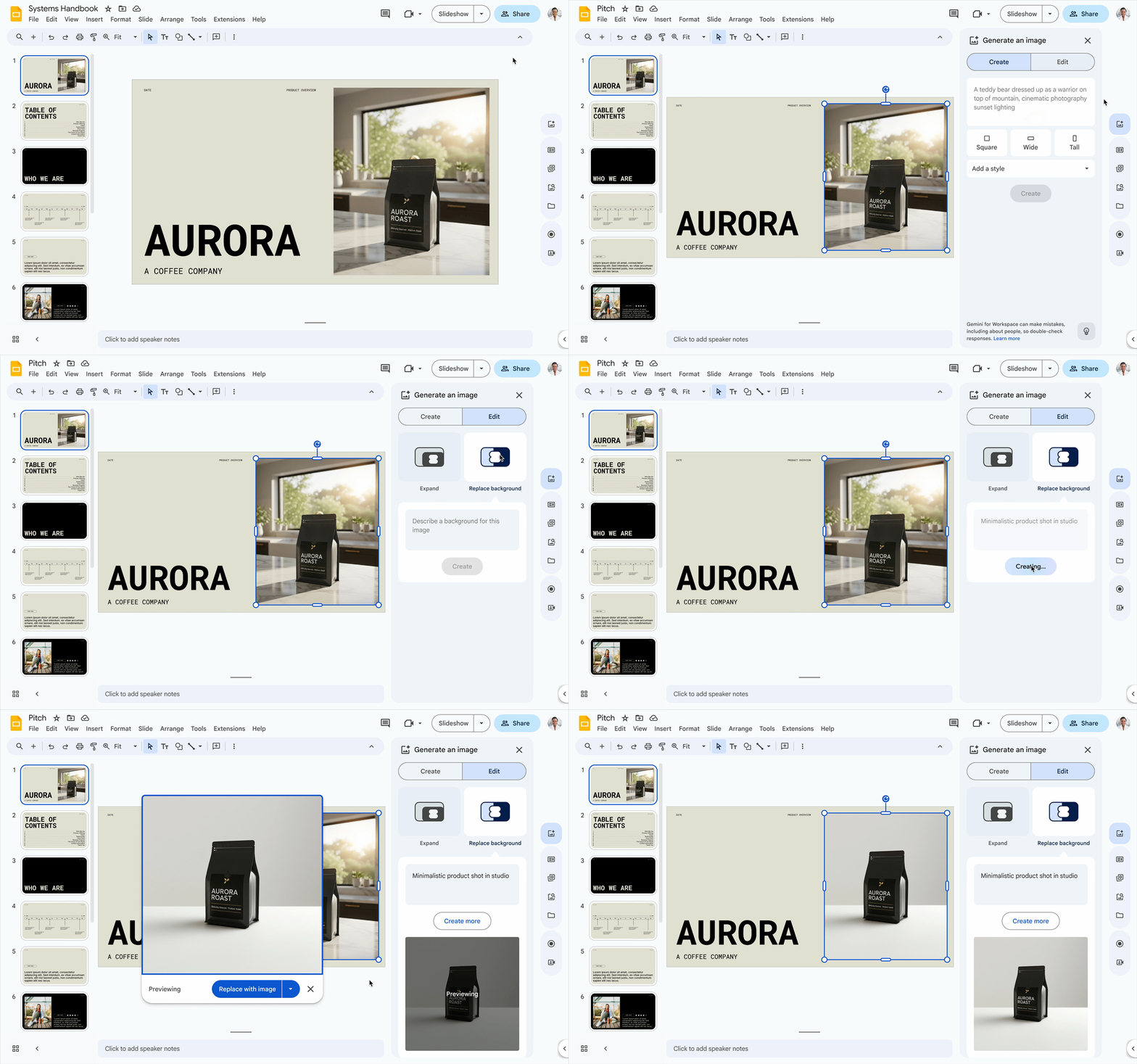
In Google Slides, replacing an image background is simple:
- Select the image
- Right-click and choose “Edit image”, or click the “Generate an image” icon
- From the side panel, select “Replace background”
- Enter a text prompt describing the setting you want
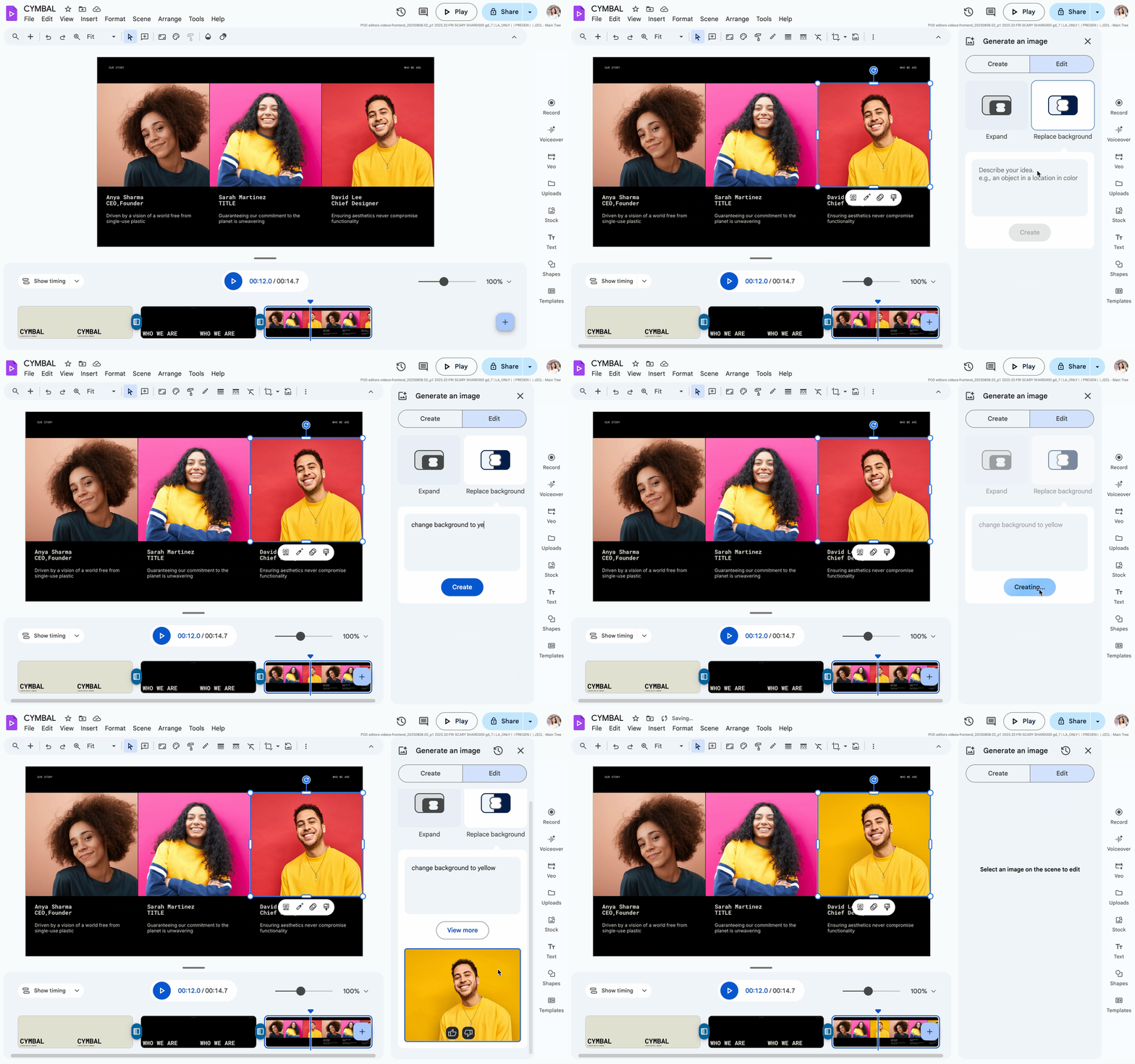
Source via google
Google says this tool is especially useful for marketing visuals (like placing products into realistic scenes) or for professional consistency, such as unifying employee headshots by standardizing backgrounds.
Expand Images Without Distortion
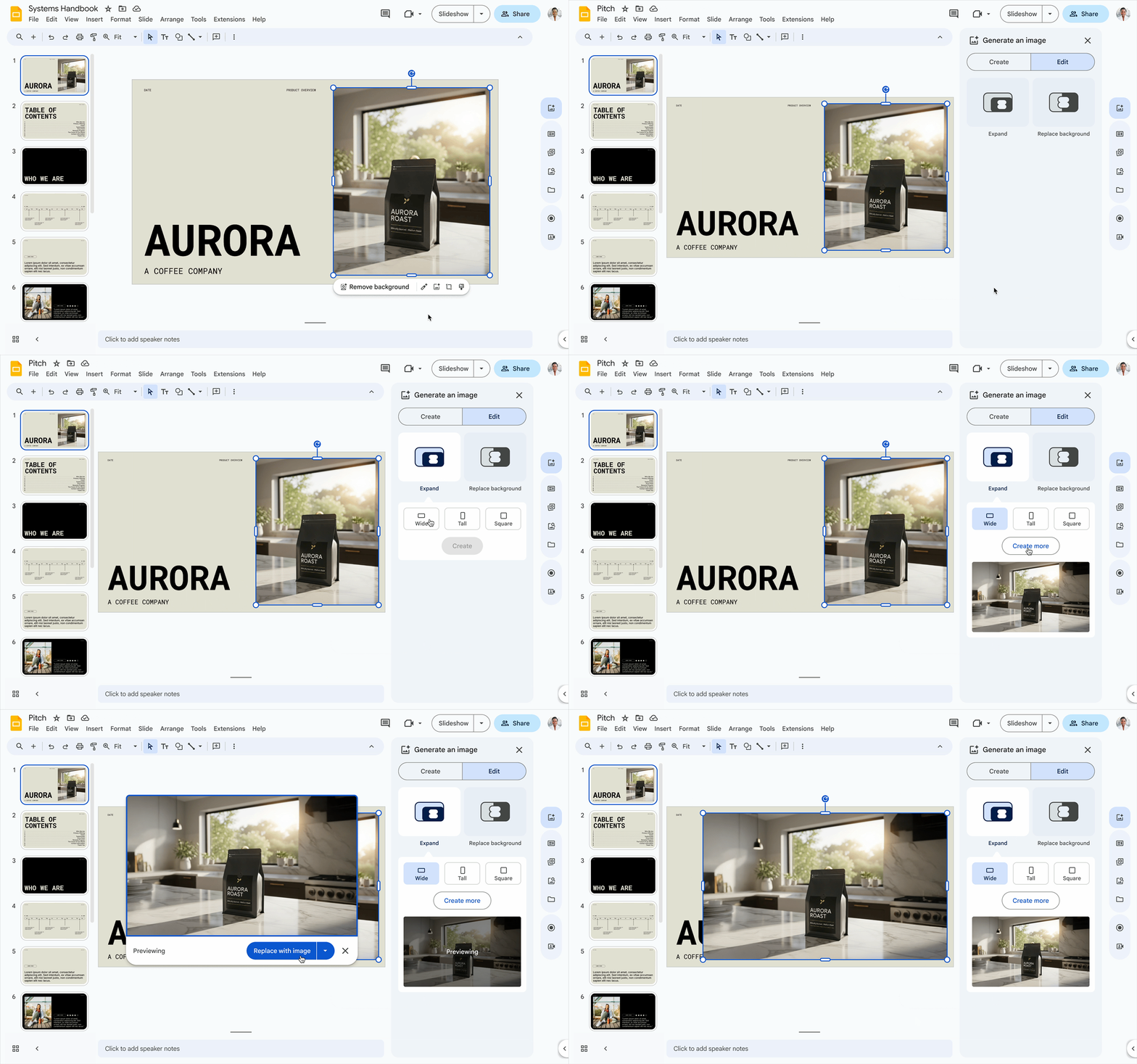
Source via google
The second feature helps users resize and expand images while keeping proportions intact.
- Select an image and open the “Generate an image” panel
- Choose the expand feature
- Pick a new aspect ratio (e.g., 16:9 or 4:3)
- Gemini generates multiple extended versions of the background
This makes it easy to turn a small portrait photo into a wide presentation banner without stretching or compressing the subject. Users can preview and select the version that best fits their slide or video.
Also Read
Rollout Timeline
The rollout is happening in two phases:
- Rapid Release domains: Began on July 28, 2025
- Scheduled Release domains: Wider rollout starting August 14, 2025
Availability
These new AI editing tools are available to:
- Google Workspace Business Standard & Plus
- Enterprise Standard & Plus
- Users with Gemini Education, Gemini Education Premium, AI Pro, or Ultra add-ons
- Legacy Gemini Business and Enterprise add-ons
Earlier this year, Google also announced that some AI features — including background removal in Drawings, Slides, and Vids as well as Studio Look, Lighting, and Sound in Meet — would be included in Workspace subscriptions without requiring a paid Gemini add-on.